Ever wondered how all your favorite apps talk to each other? How does a food delivery app know your location? How does your fitness tracker sync with your phone? The secret sauce behind all this seamless communication is often something called API integration, and a huge player in this field is REST.
Imagine two friends, one speaking only English and the other only Spanish. They couldn't have a meaningful conversation, right? Now, imagine they both learn a common language, say French. Suddenly, they can share stories, jokes, and ideas. In the world of software, a REST API is that common language. It allows different applications, built by different people, using different technologies, to understand each other and exchange information effortlessly.
What is an API and What is REST?
Let's break it down. API stands for Application Programming Interface. Think of it as a menu at a restaurant. The menu lists all the dishes (the functions) you can order. You, the customer, don't need to know how the chef cooks the food. You just tell the waiter what you want from the menu, and the waiter brings it to you. The API is the menu and the waiter, acting as the intermediary between you (the client application) and the chef (the server application).
Now, what about REST? REST stands for Representational State Transfer. It's not a programming language or a technology; it's an architectural style for building APIs. It's a set of rules and principles that make APIs easy to use, scalable, and lightweight. Think of REST as the "rules of the restaurant." These rules dictate how the menu is structured, how you place your order, and how the food is served to you. It's a specific, standardized way of building that "menu and waiter" system.
The core principle of REST is the use of standard HTTP methods to perform actions on resources. Resources are simply things like a user profile, a product, or a blog post. We'll dive into this more with some fun examples.
The Key Principles of REST
REST isn't just a random set of rules; it's built on a few core ideas that make it so popular.
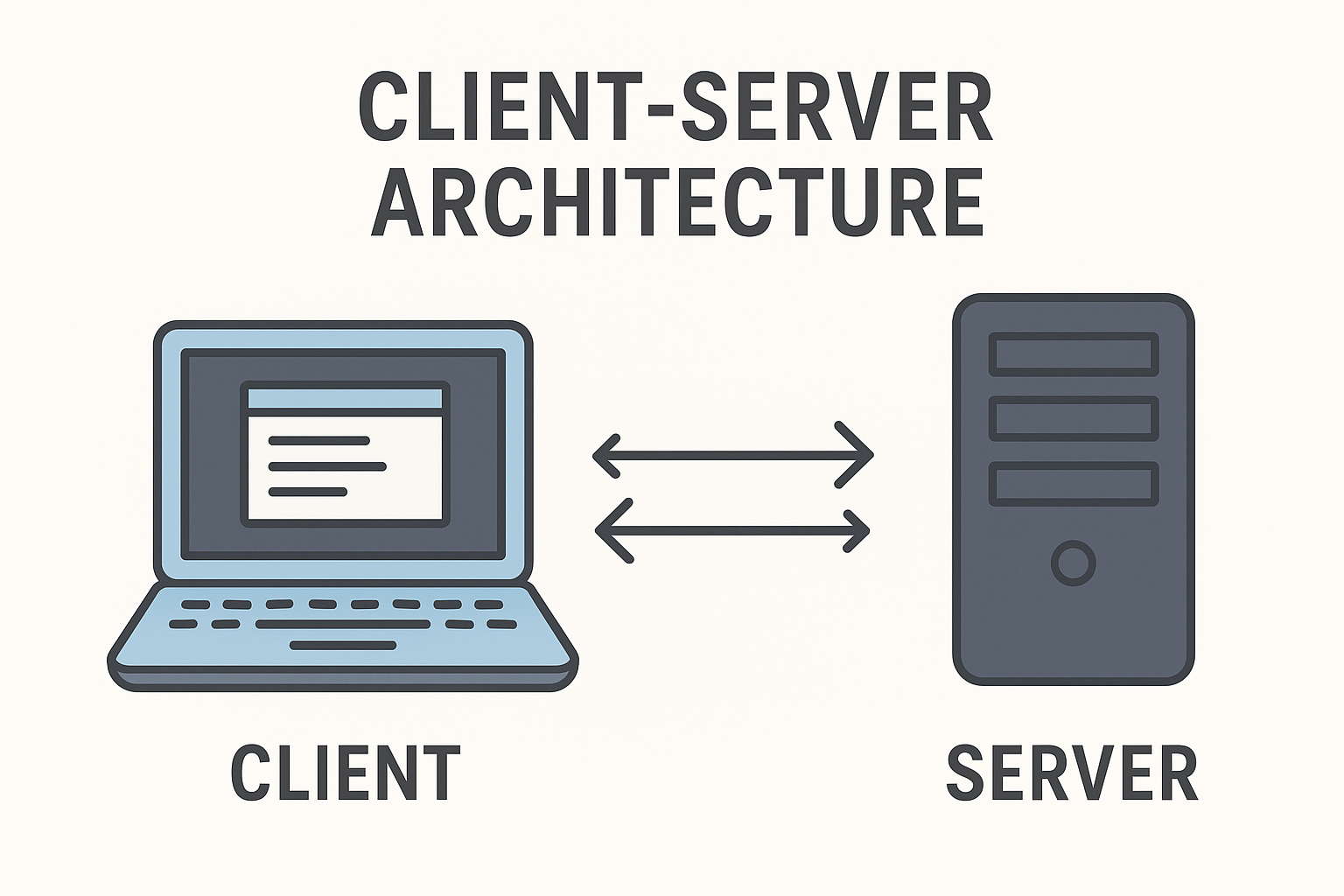
1. Client Server Architecture This is a fundamental concept. The client (your app, a website, etc.) and the server (where the data lives) are separate and independent. The client sends a request for a resource, and the server sends a response. They don't need to know anything about each other's internal workings.
Licensed by Preparesh
2. Statelessness This is a big one. It means the server doesn't "remember" anything about the client's previous requests. Every request from the client must contain all the information the server needs to fulfill it. This makes the system incredibly scalable because the server doesn't have to keep track of a bunch of different clients. It's like having a new waiter for every single dish you order. Each time you order, you have to tell them everything about your request, but this makes the kitchen super efficient!
3. Uniform Interface This is the magic ingredient that makes REST so easy to use. It means all REST APIs should follow the same rules, making them predictable. This includes using standard HTTP methods for specific actions and using a clear, logical structure for naming resources.
The Pillars of a RESTful API: Resources and HTTP Methods
A REST API revolves around the concept of resources. A resource is simply an object, like a user, a product, or a photo. Each resource has a unique identifier, like a URL. For example, https://api.example.com/users might be the URL for a list of all users, and https://api.example.com/users/123 might be the URL for a specific user with the ID "123".
The next piece of the puzzle is using HTTP methods to interact with these resources. Think of these methods as the verbs in our conversation. There are four main ones:
GET: This is how you read or retrieve a resource. It's like asking the waiter, "Can I see the menu?"
POST: This is how you create a new resource. It's like telling the waiter, "I'd like to order a new dish."
PUT: This is how you update or replace an existing resource. It's like saying, "My order is wrong, please replace it with this."
DELETE: This is how you delete a resource. It's like telling the waiter, "I've changed my mind; please cancel my order."
Let's put this all together with an example. Imagine we're building an API for a blog.
To get a list of all blog posts, we'd make a GET request to
https://api.blog.com/posts.To get a specific blog post with the ID "45", we'd make a GET request to
https://api.blog.com/posts/45.To create a new blog post, we'd make a POST request to
https://api.blog.com/postsand send the new post's data in the body of the request.To update blog post "45", we'd make a PUT request to
https://api.blog.com/posts/45with the updated data.To delete blog post "45", we'd make a DELETE request to
https://api.blog.com/posts/45.
See how intuitive and logical this is? It's like a universal remote for data!
How to Integrate with a REST API
So, you've been given a REST API to work with. How do you actually get started? Here's a step by step breakdown.
Step 1: Read the Documentation
The very first thing you need to do is read the API's documentation. This is your user manual. It will tell you everything you need to know:
The base URL (e.g.,
https://api.example.com).The available endpoints (the specific URLs for resources, like
/users,/products).The required HTTP methods for each endpoint.
What data you need to send (the request body) for methods like POST or PUT.
What the response will look like (the data you get back).
Step 2: Make Your First Request
You can use a tool like Postman or your browser's developer tools to make a simple GET request. For example, if the documentation says you can get a list of products by hitting https://api.store.com/products, just try it! You'll likely see a bunch of data in a format called JSON.
Step 3: Understand the Response (JSON)
JSON stands for JavaScript Object Notation. It's a lightweight format for storing and transporting data. It looks a lot like a JavaScript object, which is why it's so popular. The data you get back from a REST API is almost always in JSON format. It's a simple key value pair structure that's easy for both humans and computers to read.
Here's an example of what a JSON response might look like for a list of products:
[
  {
    "id": 1,
    "name": "Laptop",
    "price": 1200
  },
  {
    "id": 2,
    "name": "Mouse",
    "price": 25
  }
]
Step 4: Handle Authentication
Most real world APIs require you to prove who you are. This is called authentication. You can't just walk into a bank and get someone's money; you need to show ID. Similarly, you often need to send a special key or token with your requests. The documentation will explain exactly how to do this, whether it's by sending a key in a header, a parameter in the URL, or something else.
Step 5: Write the Code
Once you've tested things out and understand how it all works, it's time to write the code! This involves using a library in your chosen programming language to make an HTTP request to the API. For example, in Python, you might use the requests library. In JavaScript, you might use fetch. The code will look something like this:
Define the URL and the HTTP method.
Add any required headers, including your authentication key.
Send the request.
Handle the response, which includes checking for a successful status code (like 200 OK) and parsing the JSON data.
Use the data in your application!
REST Integration in the Real World: A Food Delivery App Example
Let's bring it all together with a practical scenario. Imagine you're a engineer working on a food delivery app. You need to show a list of restaurants to the user. You're told there's an API for this.
Your goal is to get a list of restaurants from the API and display them in your app.
Documentation Check: The documentation tells you there's a GET endpoint at
https://api.foodie.com/restaurants. It says this endpoint returns a JSON array of restaurants.Trial and Error: You open up Postman and make a GET request to that URL. Success! You get back a JSON response that looks like this:
[
  {
    "id": 101,
    "name": "The Spicy Spoon",
    "cuisine": "Mexican"
  },
  {
    "id": 102,
    "name": "Pasta Paradise",
    "cuisine": "Italian"
  }
]
Code Time: Now you write the code in your app.
You make a GET request to the endpoint.
The API returns the JSON data.
Your code parses this JSON and turns it into a list of "restaurant" objects in your application's memory.
You then iterate through this list and display each restaurant's name and cuisine in your app's user interface.
And just like that, you've successfully integrated with a REST API! You've retrieved data from a remote server and used it in your application, without needing to know a single thing about how the server itself was built.
API integration with REST is a fundamental skill for any developer today. It's the language that powers the connected world we live in. Once you master these basic concepts, you'll be well on your way to building incredible things. Happy coding! 😊