Imagine you are building a magnificent LEGO castle. You wouldn't just dump all the bricks on the floor and start sticking them together randomly, right? You'd probably look at the instructions, gather the right pieces, build the foundation first, and then carefully add the walls and towers. Maybe you'd even test if the drawbridge works before calling it complete.
The Software Development Life Cycle, or SDLC, is exactly like that set of instructions for building software. It's a structured, systematic process that guides a software project from its very first idea to its final retirement. It's the "how to" guide for creating a software application, ensuring it's built efficiently, effectively, and with a clear purpose.
The Grand Tour: Why SDLC is Your Best Friend
Think of a bustling kitchen during dinner rush. Without a clear plan, the chefs would be tripping over each other, burning the food, and sending out dishes that look nothing like the menu. SDLC brings that same level of organization to software development. It provides a roadmap for the entire team, from the project manager to the developer to the quality assurance specialist.
Why is this roadmap so important?
Predictability: It helps you predict costs, timelines, and resources. You know what you need and when you need it.
Quality: By including dedicated testing phases, SDLC helps ensure the software is reliable, secure, and meets user needs.
Clarity: It defines clear roles and responsibilities, so everyone on the team knows exactly what they are supposed to be doing. No more chef confusion!
Control: It provides a framework for managing changes and adapting to new requirements, keeping the project on track.
Now let's get into the nitty gritty. The SDLC is generally broken down into several key phases. While the names might vary slightly, the core concepts remain the same.
Phase 1: Planning and Requirements Gathering
This is the "blueprints" phase. Before you even write a single line of code, you need to understand what you're building. This involves talking to stakeholders (the people who are paying for the software or will be using it) to understand their needs, goals, and what the software is supposed to accomplish.
Example: Let's say we're building a new mobile app for a coffee shop. In this phase, we'd sit down with the coffee shop owner and ask questions like: "What should the app do?", "Do you want people to be able to order and pay ahead?", "What kind of loyalty program should it have?", and "What's the budget and timeline?". We'd then create a detailed document outlining all these features and requirements. This document is like a contract; it makes sure everyone is on the same page before the real work begins.
Phase 2: Design
Once we know what we're building, we need to figure out how we're going to build it. This phase focuses on designing the architecture of the software. It’s like an architect drawing up plans for a house, including where the electrical wiring will go and how the plumbing will be laid out.
Key design elements include:
Architectural Design: This is the high level structure. We decide on the programming languages, frameworks, and databases we’ll use.
User Interface (UI) Design: How will the app look? What colors and fonts will we use? What will the layout be like?
User Experience (UX) Design: How will the user interact with the app? Is it intuitive and easy to navigate?
Database Design: We plan the structure of the data. How will we store information about the coffee, the users, and their orders?
Example: For our coffee app, we might design a user flow that goes from Browse the menu to adding items to a cart, then to a checkout page. We'd create mockups and wireframes to visualize this process, making sure it's smooth and logical for the user. We'd also decide that a certain type of database would be best for handling all the order information.
Phase 3: Implementation or Development
This is where the magic happens. The developers get to work, writing the actual code based on the designs created in the previous phase. This is the longest and most resource intensive part of the process.
Example: Our developers will now code the front end of the coffee app, creating the screens that users will see. They'll also build the back end, which handles the logic for placing orders, processing payments, and managing the loyalty program. This phase can be broken down into smaller, manageable chunks, with teams working on different features simultaneously.
Phase 4: Testing
We've built the software, but does it actually work? This is a crucial question that the testing phase answers. Quality assurance (QA) specialists, and sometimes the developers themselves, thoroughly test the application to find any bugs, errors, or defects. The goal is to ensure the software is stable, secure, and meets all the requirements we defined in the planning phase.
Different types of testing include:
Unit Testing: Individual components or modules of the code are tested to ensure they work correctly.
Integration Testing: We check if different modules work together smoothly.
System Testing: The entire application is tested as a whole.
User Acceptance Testing (UAT): The end users (or a select group of them) test the software to ensure it meets their needs and expectations.
Example: A QA specialist would test our coffee app to see if an order is correctly processed and if the loyalty points are added to the user's account. If they find a bug where the app crashes when you try to pay, they'll report it back to the developers to fix it. This cycle of testing and fixing continues until the software is deemed ready for the next phase.
Phase 5: Deployment
Congratulations! The software has been built and tested. Now it's time to release it to the world. Deployment is the process of making the software available to the end users. This can involve releasing the app on an app store, installing it on a company's servers, or making it live on a website.
Example: We would submit our coffee app to the Google Play Store and the Apple App Store, making it available for people to download. We'd also configure the servers and databases so they can handle the traffic from all the new users.
Phase 6: Maintenance
The journey doesn't end after deployment. Software needs ongoing care and attention. The maintenance phase involves regular updates, bug fixes, and enhancements to keep the application running smoothly and to adapt to new needs.
Example: Our coffee shop app might need a new feature to let customers save their favorite orders. We'd add this feature in a future update. We'd also constantly be on the lookout for new bugs that might pop up and release patches to fix them.
SDLC Models: A Different Flavor for Every Project
The phases we just discussed can be organized and executed in different ways. These different approaches are called SDLC models. Think of them as different recipes for making the same dish. Some recipes are better for certain occasions than others.
The Waterfall Model
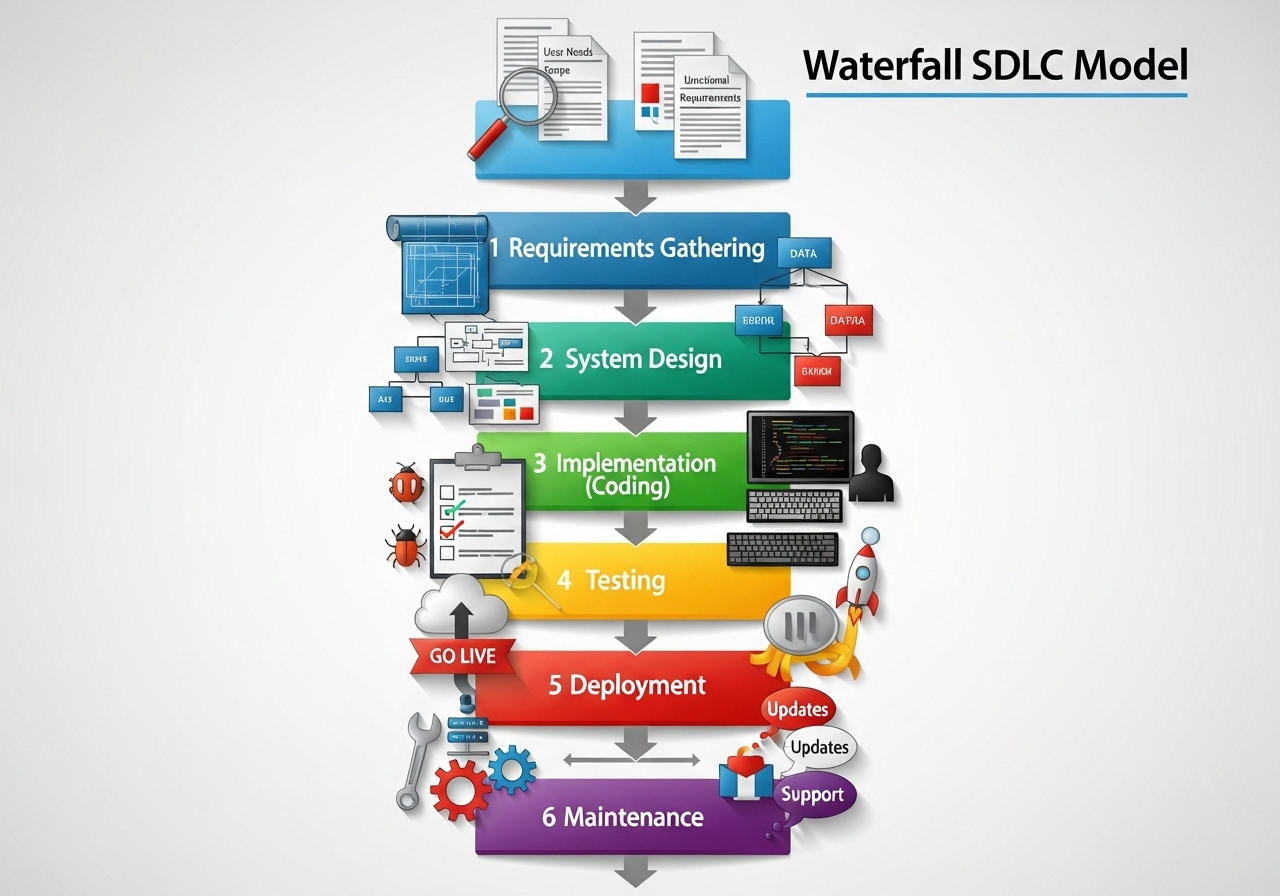
Imagine a majestic waterfall cascading down a cliff.
Licensed by Preparesh
The water flows in one direction, from top to bottom. The Waterfall model works in a similar, sequential fashion. Each phase must be completed and signed off before the next one can begin.
How it works: You complete all the requirements, then all the design, then all the development, and so on.
Best for: Small, well defined projects with very stable requirements.
Pros: Very structured and easy to manage.
Cons: Not very flexible. If a requirement changes later in the process, it can be very difficult and expensive to go back and fix it.
The Agile Model
Licensed by Preparesh
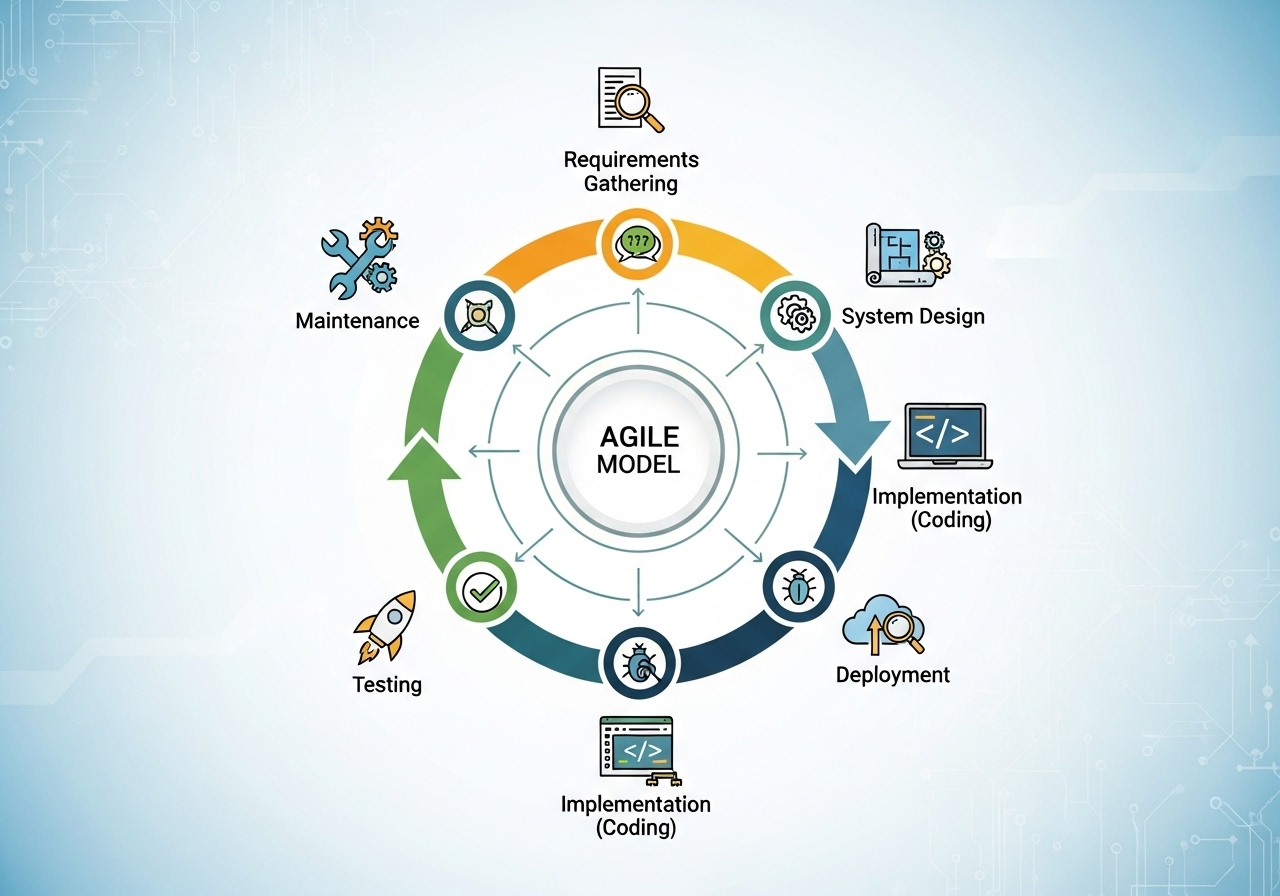
This model is the exact opposite of the Waterfall approach. It's a highly collaborative, iterative approach where the project is broken down into small, manageable chunks called sprints.
How it works: The team works in short cycles, typically two weeks long. At the end of each sprint, they have a working piece of software that can be demonstrated. This allows for frequent feedback and changes.
Best for: Complex projects with evolving requirements.
Pros: Extremely flexible, collaborative, and focuses on delivering value quickly.
Cons: Can be difficult to manage for very large projects without proper discipline.
DevOps Model
Licensed by Preparesh
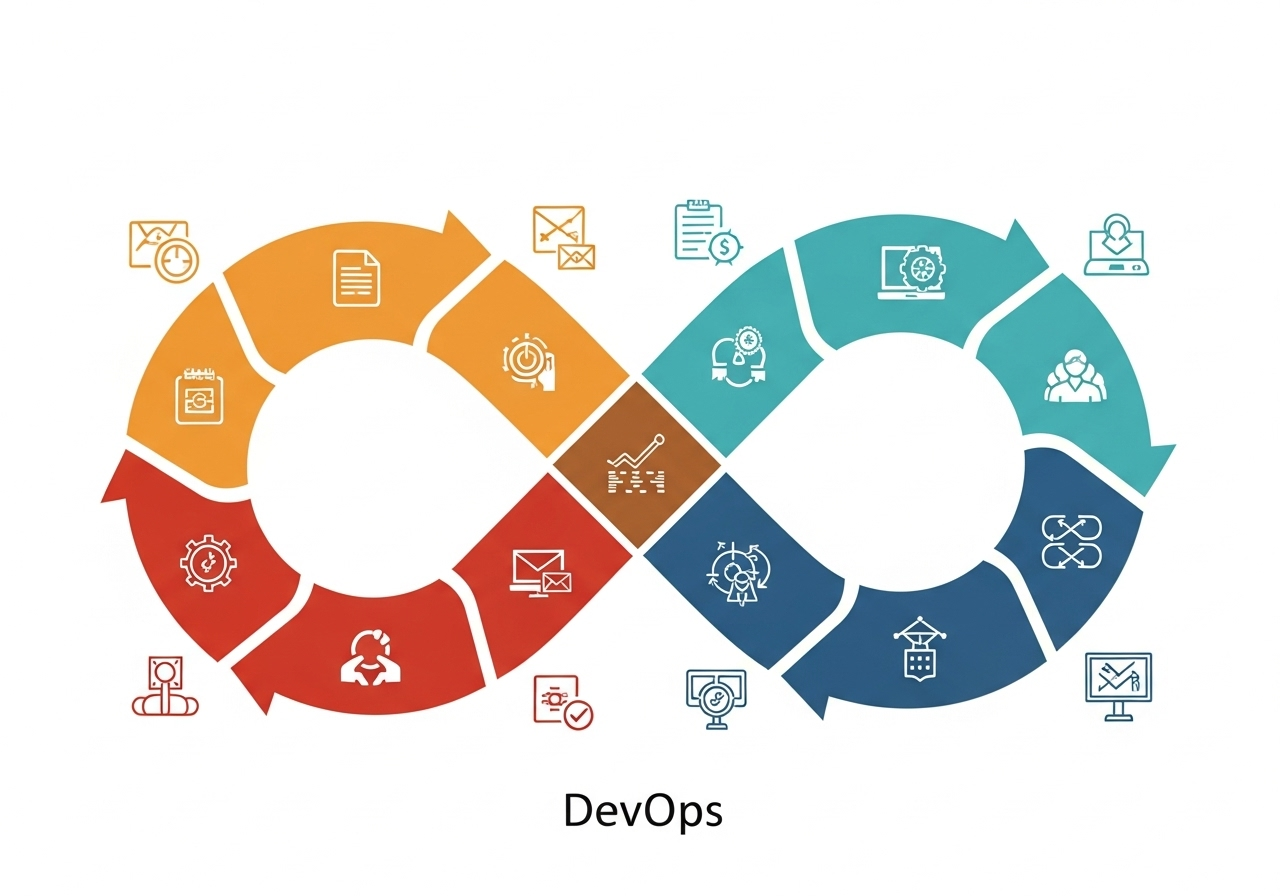
DevOps is more of a cultural philosophy than a rigid model. It's about breaking down the walls between development (Dev) and operations (Ops) teams. The goal is to automate as much as possible and create a continuous loop of development, testing, deployment, and monitoring.
How it works: The process is continuous. As soon as a developer writes code, it's automatically tested and deployed. The operations team can then monitor its performance and provide feedback.
Best for: Projects requiring rapid, continuous delivery and a strong focus on automation.
Pros: Faster delivery, improved collaboration, and increased efficiency.
Cons: Requires significant investment in tools and a major cultural shift within an organization.
Best Practices and Common Pitfalls
Understanding SDLC is one thing; using it effectively is another. Here are some pro tips and things to watch out for.
Best Practices
Communicate, Communicate, Communicate! Keep everyone on the team and all stakeholders in the loop. A good SDLC is built on a foundation of open communication.
Documentation is Key: While it can feel tedious, clear documentation of requirements, designs, and code is a lifesaver. It prevents misunderstandings and helps new team members get up to speed quickly.
Embrace Feedback: Regular feedback from users and stakeholders is invaluable. It helps you build a product that people actually want and need.
Common Pitfalls to Avoid
"Analysis Paralysis": Spending too much time in the planning phase can be just as bad as not spending enough. At some point, you need to start building.
Ignoring the Human Element: SDLC is a process, but it's executed by people. Overlooking team dynamics, morale, and individual well being can derail a project faster than any technical issue.
Forgetting to Test: Cutting corners in the testing phase is a recipe for disaster. Releasing buggy software can damage your reputation and lead to costly fixes later.
The SDLC is not a one size fits all solution. The best approach for your project will depend on its size, complexity, and the specific needs of your team. By understanding the core principles and phases, you'll be well on your way to building amazing software, one well planned step at a time!